
Compare time frames in reports
Details
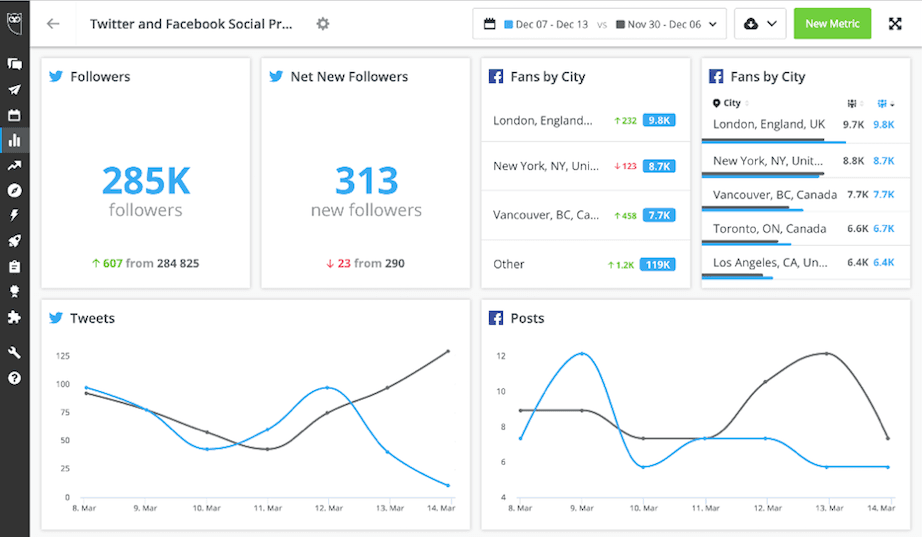
Analytics customers can now select two different time frames when editing report dates to compare performance across time periods. This lets customers measure campaign impact, identify trends, and visualize changes in performance year-over-year, month-over-month, or across a custom time frame.
To visualize data across two time frames, tiles must be configured to one of the following formats:
Line chart
Column chart
Number
List
Please complete the form to learn more
* indicates required fields
Related updates

AI Widget Insights Enhancements
AI Widget Insights enhancements now let you generate up to 6 AI summaries per page, view them on table widgets, and compare full-screen insights side by side against the source data.
Unified Filters
Unified Filters lets you set Tag, Auto tag, and Campaign filters once and apply them across every connected network, so your reports stay consistent without repetitive setup.

WhatsApp Coexistence in Business App and Cloud API
WhatsApp Coexistence lets you connect to Hootsuite's Cloud API while keeping your WhatsApp Business App active, so you can manage conversations from either
Unlock insights tailored to your business
Get your zero-risk trial to see how Hootsuite can power brand growth with the industry’s deepest insights.