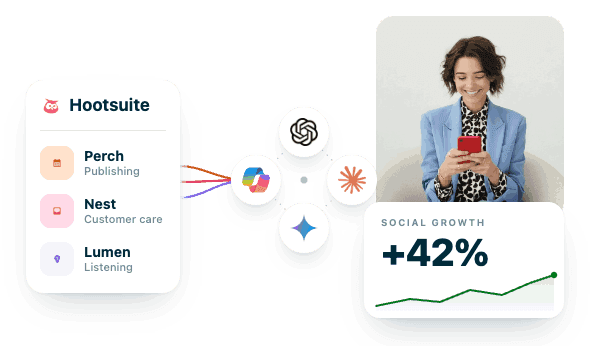
Sparen Sie Zeit und verbessern Sie Ihre Workflows durch die Verknüpfung von Perch, Nest oder Lumen mit ChatGPT, Claude, Copilot und mehr. Planen Sie Beiträge, sortieren Sie Ihren Posteingang und erhalten Sie Listening-Erkenntnisse direkt von Ihrem Hootsuite-Konto aus – und das alles über Ihren bevorzugten KI-Chat.
Perch
Content-Erstellung, Planung und Veröffentlichung
PerchMCP
Entwirf für jeden Kanal einen Beitrag zu unserer Produkteinführung.
FUNKTIONIERT MIT
Erstellen Sie Beiträge, planen Sie sie zum besten Zeitpunkt, nutzen Sie Ihre Content-Bibliothek und prüfen Sie die Performance direkt im Chat.
MCP-Server-URL
mcp.hootsuite.com/perch
Lumen
Insights und Social Listening
LumenMCP
Was liegt in unserer Branche im Trend und wie schneidet die Stimmung zu unserer Marke im Vergleich ab?
FUNKTIONIERT MIT
Verfolgen Sie Erwähnungen und Stimmung, finden Sie Influencer und fassen Sie Wettbewerbsinformationen direkt im Chat zusammen.
MCP-Server-URL
mcp.hootsuite.com/lumen
Nest
Social Inbox und Kundenservice
NestMCP
Zeige dringende Nachrichten und weise die wichtigsten dem Kundenservice-Team zu.
FUNKTIONIERT MIT
Priorisieren Sie Nachrichten, weisen Sie Unterhaltungen zu, antworten Sie mit gespeicherten Antworten und lösen Sie Anliegen direkt im Chat.
MCP-Server-URL
mcp.hootsuite.com/nest
Parliament
Employee Advocacy und Reichweitensteigerung
ParliamentMCP
Finde neue Inhalte zu meinen Themen und plane die Beiträge für diese Woche.
FUNKTIONIERT MIT
Entdecken Sie teilbereite Inhalte, posten Sie sie auf Ihren eigenen Profilen und planen Sie Ihre Beiträge für die Woche direkt im Chat.
MCP-Server-URL
mcp.hootsuite.com/parliament
Hootsuite mit Ihren bevorzugten KI-Tools verknüpfen
Hootsuite MCP-Server verbinden sich über vorgefertigte Konnektoren mit ChatGPT und Claude – eine technische Einrichtung ist nicht erforderlich. Verwenden Sie Gemini oder Copilot? Wählen Sie Ihr Hootsuite-Produkt aus, um die URL Ihres MCP-Servers zu erhalten, und geben Sie diese an Ihren IT-Administrator weiter. Sie benötigen ein Hootsuite-Konto? Starten Sie Ihre kostenlose Testversion oder fordern Sie eine Demo an.
Copy these ready-made prompts into ChatGPT, Claude, Gemini, or Copilot to publish content, manage conversations, and surface insights through your Hootsuite MCP servers.
LumenSummarization and insights
Check sentiment breakdown
A sentiment breakdown for a topic over the past 7 days.
Try this prompt
What's the sentiment breakdown for [topic] in the last 7 days?
Result: Understand overall tone at a glance instead of reading mention by mention.
PerchMulti-step / compound workflows
Schedule at best times
A workflow that finds top posting times, then drafts posts accordingly.
Try this prompt
Check the recommended posting times for next week, then create drafts for LinkedIn and X at the best slots using this copy: [copy]
Result: Get optimally timed drafts ready in one request, no manual lookup.
PerchPlanner & planned content
View launch week plan
A cross-profile view of everything planned for a specific date range.
Try this prompt
Show me everything planned across all profiles for launch week, June 23–27
Result: Confirm the full campaign calendar is aligned before a big launch.
PerchMulti-step / compound workflows
Summarize LinkedIn performance
A workflow that pulls metrics and turns them into a written summary.
Try this prompt
Pull our LinkedIn impressions and engagement for the past 30 days, then write me a short performance summary
Result: Get a ready-to-share performance recap without building it yourself.
PerchPublishing
Cross-post simultaneously
Create social media posts and publish them to X and Instagram at the same time..
Try this prompt
Post this to X and Instagram at the same time: [copy]
Result: Reach multiple audiences at once without publishing to each platform separately.
NestMulti-step / compound workflows
Summarize and flag inbox
A workflow that summarizes new conversations and flags urgent ones.
Try this prompt
Show me everything new in my inbox, summarise each conversation in one sentence, and flag any that look urgent
Result: Triage your whole inbox in seconds instead of reading each thread.
PerchSetup & discovery
Confirm publishing access
A check on which social profiles you're able to publish from your workspace.
Try this prompt
What social profiles do I have access to in my workspace?
Result: Know exactly where you can publish before you draft or schedule content.
PerchSetup & discovery
View available workspaces
A list of the workspaces you're entitled to access in Perch.
Try this prompt
What workspaces am I entitled to?
Result: Confirm the right workspace before you start building or publishing content.
PerchSetup & discovery
Check content libraries
A list of the content libraries and teams available to you.
Try this prompt
What content libraries do I have available?
Result: Find approved assets fast without searching through every team's library.
PerchSetup & discovery
List analytics providers
A view of the data providers available for analytics in your workspace.
Try this prompt
What data providers are available for analytics in my workspace?
Result: Know your reporting sources before pulling metrics or building dashboards.
NestSetup & discovery
View Nest workspaces
A list of the workspaces you have access to in Nest.
Try this prompt
What workspaces do I have access to in Nest?
Result: Confirm you're working in the right workspace before diving into conversations.
NestSetup & discovery
Check connected accounts
A list of the social accounts connected to your Nest workspace.
Try this prompt
What social accounts are connected to my Nest workspace?
Result: Know which channels are feeding your inbox before you start responding.
NestSetup & discovery
View available inboxes
A list of the inboxes set up in your Nest workspace.
Try this prompt
What inboxes do I have in Nest?
Result: Find the right inbox to work from without guessing where to look.
PerchPublishing
Jetzt auf LinkedIn veröffentlichen
Eine sofortige Veröffentlichung Ihres Textes auf einer verknüpften LinkedIn-Seite.
Try this prompt
Veröffentlichen Sie dies jetzt auf unserer Hootsuite-LinkedIn-Seite: [copy]
Result: Erstellen Sie Social-Media-Beiträge und veröffentlichen Sie sie sofort auf LinkedIn.
PerchPublishing
Schedule a LinkedIn post
A LinkedIn post scheduled for a specific date and time.
Try this prompt
Schedule a LinkedIn post for June 24th at 9am ET: [copy]
Result: Turn your chat into a social media scheduler and stop setting reminders.
PerchPublishing
Schedule Instagram posts
A way to schedule Instagram content for a specific date and time.
Try this prompt
Schedule this Instagram post for [date] at [time]
Result: Plan and queue Instagram posts in advance without switching between apps.
PerchPublishing
Publish image to Facebook
An image published to Facebook with your chosen caption attached.
Try this prompt
Publish this image to our Facebook page with the caption: [copy]
Result: Get visual content live on Facebook quickly with the right messaging.
PerchPublishing
Publish video to Instagram
A video published to Instagram paired with your chosen caption.
Try this prompt
Post this video to Instagram with the caption: [copy]
Result: Share video content on Instagram fast, fully captioned and ready.
PerchPublishing
Find asset and publish
A library search paired with publishing that asset straight to LinkedIn.
Try this prompt
Find the SocialOS launch graphic in our content library and post it to LinkedIn with this caption: [copy]
Result: Go from asset search to live post in a single request.
PerchDrafts
Save a LinkedIn draft
Copy saved as an unpublished draft for your LinkedIn page.
Try this prompt
Save a draft for our LinkedIn page — don't publish it yet: [copy]
Result: Lock in content ideas without risking an accidental early publish.
PerchDrafts
Create scheduled draft
“A draft scheduled through your social media scheduler, ready for Planner.
Try this prompt
Create a draft scheduled for Friday at noon so it shows up in the Planner
Result: Get drafts into your content calendar without extra manual steps.
PerchDrafts
List all drafts
A full list of every draft currently saved in your workspace.
Try this prompt
List my current drafts
Result: See everything in progress in one place before you publish.
PerchDrafts
View scheduled drafts
A filtered list of drafts that already have a scheduled time.
Try this prompt
Show me only my scheduled drafts
Result: Quickly confirm your social media schedule, and what’s already queued up to go live.
PerchDrafts
View unscheduled drafts
A filtered list of X drafts without a scheduled publish time.
Try this prompt
Show me unscheduled drafts for our X profile
Result: Spot content that still needs a publish date before it's forgotten.
PerchDrafts
Update a draft
A revision applied to an existing draft using its ID.
Try this prompt
Update draft [ID] with this revised copy: [copy]
Result: Refine content in place without recreating the draft from scratch.
PerchPlanner & planned content
View LinkedIn schedule
A look at everything scheduled to publish on LinkedIn this week.
Try this prompt
What's scheduled on our LinkedIn profile this week?
Result: See your week's LinkedIn calendar at a glance, no digging required.
PerchPlanner & planned content
Check tomorrow's Instagram posts
A preview of what's queued to publish on Instagram tomorrow.
Try this prompt
What posts are planned for our Instagram account tomorrow?
Result: Catch scheduling gaps or conflicts a day before they go live.
PerchContent library
Browse content library
A full view of the assets currently stored in your content library.
Try this prompt
What assets are in our content library?
Result: See what's available to use before searching or requesting new assets.
PerchContent library
Find top-used images
A ranked list of the images used most often from your library.
Try this prompt
Find the most-used images in our content library
Result: Reuse proven, high-performing visuals instead of starting from scratch.
PerchContent library
Search tagged videos
A tag-based search for video assets tied to a specific campaign.
Try this prompt
Search for video assets tagged 'SocialOS' in our library
Result: Locate the right campaign videos fast without scrolling the full library.
PerchContent library
View available images
A filtered list of images that haven't expired and remain usable.
Try this prompt
Show me all available (non-expired) images in the library
Result: Avoid using outdated assets by seeing only what's still valid.
PerchRecommended times
Get LinkedIn best times to post
Recommended posting times for LinkedIn based on this week's data.
Try this prompt
What are the best times to post on LinkedIn this week?
Result: See the best time to post on LinkedIn based on this week’s data.
PerchRecommended times
Get the best time to post on Instagram
The best time and best day to post on Instagram, based on your data.
Try this prompt
What is the best time to post on Instagram?
Result: Publish when your Instagram audience is most active and engaged.
PerchRecommended times
Get the best time to post on TikTok
Try this prompt
When should I post on TikTok for the best engagement?
Result: Know exactly when to post on TikTok to maximize reach.
PerchRecommended times
Compare best posting times
Recommended posting times across Instagram and X for next week.
Try this prompt
When should I post to our Instagram and X profiles next week for highest engagement?
Result: See the best times to post on Instagram and X so you can plan next week's content around high-engagement windows.
PerchAnalytics
Track follower growth
A look at how a profile's follower count has trended over a chosen time period.
Try this prompt
How has our follower count changed on LinkedIn over the past 3 months?
Result: Spot growth trends fast without digging through separate analytics dashboards.
PerchAnalytics
List available metrics
A list of the analytics metrics available for your LinkedIn profile.
Try this prompt
What metrics are available for our LinkedIn profile?
Result: Know what you can measure before building a report or dashboard.
PerchAnalytics
View LinkedIn impressions
A 30-day impressions summary for your LinkedIn page.
Try this prompt
Show me impressions on our LinkedIn page for the last 30 days
Result: Gauge recent visibility on LinkedIn without opening a separate report.
PerchAnalytics
Daily Instagram engagement
A day-by-day engagement breakdown for Instagram across the month of June.
Try this prompt
Give me a daily breakdown of engagement on Instagram for June
Result: Spot daily engagement patterns instead of relying on a single monthly total.
PerchAnalytics
Top posts by impressions
A ranked list of your top 10 posts this month by impressions.
Try this prompt
What are our top 10 posts by impressions this month?
Result: Quickly identify which content performed best without manual sorting.
PerchAnalytics
Compare platform reach
A side-by-side reach comparison between LinkedIn and Instagram.
Try this prompt
Compare reach on LinkedIn vs Instagram for the past two weeks
Result: See which platform is driving more visibility right now.
PerchAnalytics
View X click data
A quarterly summary of click activity on your X profile.
Try this prompt
Show me click data for our X profile for Q2
Result: Understand how much traffic X content is driving over time.
PerchMulti-step / compound workflows
Find, schedule, and caption
A workflow that locates an asset and schedules it across two platforms.
Try this prompt
Find the launch graphic in our content library, then schedule it to LinkedIn and Instagram on June 24 at 9am ET with this caption: [copy]
Result: Go from asset search to a fully scheduled multi-platform post at once.
PerchMulti-step / compound workflows
Find and publish draft
A workflow that locates a specific draft, then publishes it immediately.
Try this prompt
List my unscheduled drafts, then publish the one about SocialOS to LinkedIn now
Result: Skip manual searching and get the right draft live in one step.
NestMulti-step / compound workflows
Relevante Unterhaltungen notieren
Ein Workflow, der Unterhaltungen anhand von Keywords findet und eine Notiz hinzufügt.
Try this prompt
Liste meine offenen Unterhaltungen auf und füge allen, in denen SocialOS erwähnt wird, eine Notiz mit dem Text „Einführungswoche – genau im Auge behalten“ hinzu.
Result: Markieren Sie kampagnenrelevante Unterhaltungen automatisch, anstatt manuell danach zu suchen.
NestMulti-step / compound workflows
Flag and tag complaints
A workflow that finds complaints in comments and tags them for escalation.
Try this prompt
Show me comments on my last LinkedIn post, identify any complaints, and tag those conversations with the 'Escalation' topic
Result: Catch and route complaints immediately without manually reviewing every comment.
NestMulti-step / compound workflows
Auto-assign new conversations
A workflow to automate your social media inbox and update conversation status.
Try this prompt
Pull my inbox, find all NEW conversations, assign them to the support team, and mark them as pending
Result: Clear new conversations from your queue in one automated step.
NestMulti-step / compound workflows
Suggest resolvable conversations
A workflow that reviews conversations and recommends which ones to resolve.
Try this prompt
Read the top 10 conversations in my inbox and tell me which ones I can resolve based on the thread content
Result: Close out easy conversations faster with a ready-made recommendation.
NestMulti-step / compound workflows
Match reply to conversations
A workflow that pairs a saved reply with conversations it fits.
Try this prompt
Load the saved reply for 'Account access issue', then show me which conversations in my inbox it would apply to
Result: Find every conversation a template applies to in one step.
NestInbox overview
Surface top conversations
A ranked view of the most important conversations currently sitting in your inbox.
Try this prompt
Show me the top 25 conversations in my inbox
Result: Simplify social media inbox management by jumping straight to what matters.
NestInbox overview
Count inbox conversations
A total count of all conversations currently sitting in your inbox.
Try this prompt
How many conversations are in my inbox?
Result: Get a quick read on inbox organization before diving into conversations.
NestInbox overview
Neue Nachrichten und ausstehende Antworten prüfen
Eine Aufschlüsselung, wie viele Unterhaltungen neu bzw. ausstehend sind.
Try this prompt
Wie viele neue und ausstehende Unterhaltungen habe ich?
Result: Informieren Sie sich über ausstehende Antworten und setzen Sie Prioritäten für Ihre Arbeitsbelastung.
NestInbox overview
View new conversations
A filtered view of only the newest conversations in your inbox.
Try this prompt
Show me what's new in my inbox
Result: Focus on fresh conversations first without sifting through older ones.
NestInbox overview
Check top of queue
A look at whichever conversation sits at the top of your queue.
Try this prompt
What's at the top of my queue right now?
Result: Know exactly what to tackle next without scanning the full list.
NestReading conversations
Read latest conversation
A read-out of the most recent conversation in your inbox.
Try this prompt
Read me the latest conversation in my inbox
Result: Catch up on the newest message without opening it manually.
NestReading conversations
Recap customer message
A quick recap of what a specific customer said in a conversation.
Try this prompt
"What did this customer say?" (after listing conversations)
Result: Get the gist of a conversation without rereading the full thread.
NestReading conversations
Vollständigen Thread anzeigen
Der vollständige Nachrichtenverlauf für eine bestimmte Unterhaltung.
Try this prompt
Den vollständigen Nachrichtenverlauf für diese Unterhaltung anzeigen
Result: Sehen Sie sich den gesamten Unterhaltungsverlauf an einem Ort an, bevor Sie antworten.
NestReading conversations
Check conversation status
A check on whether a conversation is new, pending, or resolved.
Try this prompt
What's the status of this conversation — new, pending, or resolved?
Result: Know where a conversation stands before deciding your next move.
NestReading conversations
Absender von Nachrichten identifizieren
Prüfung, ob eine Nachricht von einer Person oder einem System stammt.
Try this prompt
Wer hat dies gesendet – eine Person oder ein automatisiertes System?
Result: Informieren Sie sich, ob Sie mit einem echten Kunden sprechen, damit Sie angemessen reagieren können.
NestReading conversations
View inbound & outbound
A full view of both incoming and outgoing messages in a thread.
Try this prompt
Show me all inbound and outbound messages in this thread
Result: See the full back-and-forth without piecing messages together yourself.
NestConversation status
Mark as resolved
A status change that marks a conversation as resolved.
Try this prompt
Mark this conversation as resolved
Result: Clear conversations from your active queue the moment they're done.
NestConversation status
Move to pending
A status change that moves a conversation into pending.
Try this prompt
Move this conversation to pending
Result: Keep your queue organized by flagging conversations still in progress.
NestConversation status
Bulk resolve conversations
A batch action that resolves several top conversations at once.
Try this prompt
"Resolve the top 5 conversations in my inbox" (compound workflow)
Result: Clear multiple conversations in one step instead of one by one.
NestAssignments
Check assignment options
A list of the people you can assign a conversation to.
Try this prompt
Who can I assign this conversation to?
Result: Find the right teammate to hand off a conversation to fast.
NestAssignments
Assign a conversation
A way to hand off a specific conversation to the right team member.
Try this prompt
Assign this conversation to [team member name]
Result: Get conversations to the right person fast, with no manual searching.
NestAssignments
Assign to a team
A handoff of a conversation to an entire team, not one person.
Try this prompt
Assign this to the support team
Result: Route conversations to the right team without picking an individual.
NestAssignments
Assign to team member
A handoff of a conversation to a specific person on a team.
Try this prompt
Assign this conversation to [member] on the support team
Result: Get conversations to the exact right person, on the right team.
NestCategorization
View available topics
A list of the topics set up in your Nest workspace.
Try this prompt
What topics are available in my workspace?
Result: Know your tagging options before organizing or categorizing conversations.
NestCategorization
Tag mit einem Thema
Ein Themen-Tag, der auf eine bestimmte Unterhaltung angewendet wird.
Try this prompt
Taggen Sie diese Unterhaltung mit dem Thema „Produkt-Feedback“
Result: Halten Sie Unterhaltungen organisiert, sodass sie sich später einfach nach Themen filtern lassen.
NestCategorization
Tag billing inquiry
A billing inquiry topic tag applied to a conversation.
Try this prompt
Tag this conversation as a billing inquiry
Result: Make billing-related conversations easy to find and report on later.
NestInternal notes
Add internal note
An internal note added directly to a specific conversation.
Try this prompt
Add a note to this conversation: 'Customer flagged for follow-up after launch week'
Result: Keep context and next steps visible for your whole team.
NestInternal notes
Summarize in a note
An internal note that summarizes what a customer asked about.
Try this prompt
Leave an internal note summarising what this customer asked about
Result: Save teammates time by capturing context without rereading the thread.
NestInternal notes
Add handoff note
A note added to a conversation right before it's assigned.
Try this prompt
Add a handoff note to this conversation before I assign it
Result: Hand off conversations smoothly with context the next person needs.
NestPosts & comments
View recent posts
A list of the posts you've recently published.
Try this prompt
Show me my recent posts
Result: Review recent activity without digging through each platform separately.
NestPosts & comments
Check LinkedIn posts
A list of everything published to LinkedIn over the past two weeks.
Try this prompt
What posts have I published in the last two weeks on LinkedIn?
Result: Review recent LinkedIn activity in one place, no scrolling required.
NestPosts & comments
View post comments
A full list of comments on your most recent LinkedIn post.
Try this prompt
Show me the comments on my most recent LinkedIn post
Result: See how people are responding without opening LinkedIn directly.
NestPosts & comments
Check Instagram comments
A summary of what people are saying on your latest Instagram post.
Try this prompt
What are people saying on my latest Instagram post?
Result: Understand audience reaction quickly without reading every comment yourself.
NestPosts & comments
Sort inbound vs replies
A breakdown of which comments are from customers versus your brand.
Try this prompt
Which comments on this post are inbound vs. brand replies?
Result: Separate customer input from your own replies at a glance.
NestPosts & comments
Check comment sentiment
A sentiment read on the comments left on a specific post.
Try this prompt
What's the sentiment on the comments for this post?
Result: Gauge audience reaction fast without reading every comment individually.
NestSaved replies
View saved replies
A list of the saved reply templates available to you.
Try this prompt
What saved replies do I have available?
Result: Find the right response template fast instead of writing from scratch.
NestSaved replies
View org templates
A list of saved reply templates shared across your organization.
Try this prompt
Show me the org-shared saved reply templates
Result: Use approved, consistent messaging without recreating it yourself.
NestSaved replies
Load a saved reply
A specific saved reply template pulled up and ready to use.
Try this prompt
Load the saved reply called 'Thanks for your feedback' so I can use it
Result: Respond faster with pre-approved messaging, no retyping required.
LumenExplore your projects and topics
View your projects
A full list of the Lumen projects set up in your workspace.
Try this prompt
List my Lumen projects
Result: See all your active projects in one place without hunting through menus.
LumenExplore your projects and topics
View project topics
A list of the topics configured within a specific Lumen project.
Try this prompt
What topics are configured in my Lumen project?
Result: Know what's being tracked before running searches or reports.
LumenExplore your projects and topics
View topic details
A detailed view of the setup and scope of a specific topic.
Try this prompt
Show me details for the [topic name] topic
Result: Understand exactly what a topic covers before using it.
LumenSearch and monitor mentions
Search recent mentions
A search for mentions of a brand or keyword within a recent time window.
Try this prompt
Search for mentions of [brand/keyword] in the last 7 days
Result: Catch relevant conversations quickly without manually searching every channel and simplify social media listening.
LumenSearch and monitor mentions
Find negative mentions
A search for recent mentions of a topic with negative sentiment.
Try this prompt
Find recent mentions of [topic] with negative sentiment
Result: Spot potential issues early without scanning every mention manually.
LumenSearch and monitor mentions
Top weekly mentions
A ranked list of the top mentions of a keyword this week.
Try this prompt
Show me the top 10 mentions of [keyword] this week
Result: See the most relevant conversations first, no manual sorting.
LumenSearch and monitor mentions
Compare brand mentions
A search covering mentions of both your brand and a competitor.
Try this prompt
Search for [brand] AND [competitor] mentions in the last 30 days
Result: Benchmark your visibility against a competitor in one search.
LumenTrends
Trendthemen anzeigen
Eine Liste der Themen, die in einer bestimmten Branche derzeit im Trend liegen.
Try this prompt
Welche Trendthemen gibt es aktuell in [industry]?
Result: Verwandeln Sie Chats in ein Tool für Zielgruppeneinblicke, um aufkommende Unterhaltungen zu erkennen, bevor sie zu Mainstream-Nachrichten werden.
LumenTrends
View mention volume
A breakdown of mention volume for a topic over 30 days.
Try this prompt
Show me a volume breakdown for [topic] over the last 30 days
Result: See how conversation volume has shifted over the past month.
LumenTrends
Find top influencers
A ranked list of the top voices discussing a specific topic.
Try this prompt
Who are the top influencers talking about [topic]?
Result: Identify who's shaping the conversation before you engage or outreach.
LumenTrends
Track mention timeseries
A day-by-day timeseries of brand mention volume over the past month.
Try this prompt
Get me a timeseries of [brand] mention volume for the past month
Result: Get deeper brand insights by visualizing exactly when mention spikes happened over the past month.
LumenSummarization and insights
Summarize topic chatter
A written summary of what people are saying about a topic.
Try this prompt
Summarise what people are saying about [topic] this week
Result: Get the gist of a topic without reading every mention yourself.
LumenSummarization and insights
View available metrics
A list of the metric keys available for reporting in your project.
Try this prompt
Show me available metric keys for my project
Result: Know what you can measure before building a report or query.
LumenSummarization and insights
Uncover Audience Insights
Try this prompt
What audience insights can you show me for [brand/keyword] this month?
Result: Understand who your audience is with data-backed social media insights.
LumenSummarization and insights
Spot Instagram trends
A trend scan of Instagram conversations and hashtags relevant to your industry.
Try this prompt
What are the top Instagram trends related to [industry/keyword] right now?
Result: Know what's trending on Instagram before you plan your next post.
Mit MCP kann Ihre KI mehr als nur Fragen beantworten
Stellen Sie jetzt eine Verbindung her und beginnen Sie mit der Erstellung von Inhalten, der Verwaltung von Kundenunterhaltungen und der Gewinnung von Erkenntnissen direkt von Ihrem bevorzugten KI-Assistenten.
Frau lächelt mit Blick ihr Handy an. Daneben steht das Dashboard von Hootsuite, das ein Social-Media-Wachstum von +42% mit den Tools für Veröffentlichung, Kundenservice und Listening anzeigt.
Hootsuite verwenden, ohne Hootsuite zu öffnen
Verbinden Sie Hootsuite MCP-Server mit Ihrem bevorzugten KI-Tool und verwandeln Sie Unterhaltungen in echte Ergebnisse. Erstellen und planen Sie Inhalte, verwalten Sie Kundenkonversationen, entdecken Sie Trends und greifen Sie auf Social-Media- Erkenntnisse zu – alles, ohne ChatGPT, Claude, Gemini oder Copilot verlassen zu müssen.
Das Hootsuite MCP (Model Context Protocol) verbindet Hootsuite Produkte wie Perch und Lumen mit KI-Tools wie ChatGPT, Claude, Gemini und Microsoft Copilot. Sobald die Verknüpfung hergestellt ist, können Sie über natürliche Sprache direkt von Ihrem bevorzugten KI-Assistenten aus Inhalte erstellen, Beiträge planen, die Leistung analysieren, Unterhaltungen überwachen und Kundeninteraktionen verwalten.
Ja. Hootsuite MCP-Server ermöglichen ChatGPT den sicheren Zugriff auf Ihre Hootsuite-Daten und -Workflows. Sie können ChatGPT bitten, Social-Media-Beiträge zu verfassen, Inhalte zu planen, Analysen zu überprüfen, Markenerwähnungen zu überwachen, Posteingangsgespräche zusammenzufassen und vieles mehr – ganz ohne Wechsel zwischen Tools. Die MCP-Strategie von Hootsuite zielt darauf ab, Publishing, Listening, Analysen und Kundenbetreuung innerhalb der KI-Tools verfügbar zu machen, die Teams bereits nutzen.
Ja. Hootsuite MCP-Server sind so konzipiert, dass sie mit MCP-kompatiblen KI-Tools, einschließlich Claude, Gemini, Microsoft Copilot und anderen unterstützten Assistenten, funktionieren. Sobald die Verknüpfung hergestellt ist, können Sie von der bevorzugten KI-Plattform Ihres Teams auf Hootsuite-Workflows und -Daten zugreifen. Das Ziel von Hootsuite ist es, Social-Media-Workflows überall dort verfügbar zu machen, wo Benutzer arbeiten, nicht nur innerhalb der Hootsuite-Oberfläche.
Perch verbindet die Erstellung, Planung, Veröffentlichung und Analyse von Social-Media-Inhalten mit dem KI-Assistenten Ihrer Wahl. Erstellen Sie Beiträge, planen Sie Inhalte, laden Sie Medien hoch, analysieren Sie die Performance Ihrer Kampagnen, vergleichen Sie Ergebnisse über verschiedene soziale Netzwerke hinweg und greifen Sie per natürlicher Sprache auf Workflows für die Content-Planung zu. Die ersten MCP-Funktionen umfassen das Veröffentlichen, Entwürfe, Medien-Uploads und netzwerkübergreifende Analysen.
Nest verbindet Ihren Social-Media-Posteingang und Ihre Customer-Care-Workflows mit KI-Tools. Prüfen Sie eingehende Nachrichten, identifizieren Sie dringende Konversationen, priorisieren Sie Supportanfragen, fassen Sie Kundenfeedback zusammen und verwalten Sie die Interaktion in sozialen Netzwerken direkt im Chat.
Lumen bringt Social Listening und Erkenntnisse direkt in Ihren KI-Assistenten. Sie können Markenerwähnungen verfolgen, die Stimmung beobachten, aufkommende Trends erkennen, Konkurrenten recherchieren, Influencer entdecken und Unterhaltungen in Ihrer Branche analysieren – und das alles in einer einfachen Unterhaltung.
Für Claude und ChatGPT sind keine Programmierkenntnisse erforderlich. Sie können die Verknüpfung herstellen, indem Sie die Schritte in den Verbindungseinstellungen Ihres KI-Tools befolgen. Für Gemini und Microsoft Copilot erfordert die Einrichtung den Zugriff als IT-Administrator. Sobald die Verbindung hergestellt ist, können Sie mit Hootsuite mittels einfacher Sprache anstelle von APIs, Code oder komplexen Abfragen interagieren.
Ja. MCP-Server verwenden Authentifizierungs- und Berechtigungskontrollen, um sicherzustellen, dass KI-Tools nur auf Daten und Aktionen zugreifen, die Sie autorisieren. Benutzer können MCP-Server jederzeit verbinden und trennen, und die Berechtigungen bleiben an ihr Hootsuite-Konto gebunden. Die MCP-Implementierung von Hootsuite unterstützt den authentifizierten Zugriff und benutzergesteuerte Verbindungen.
KI kann bei der Erstellung, Vorbereitung und Planung von Inhalten über Hootsuite-Workflows helfen. Dennoch behalten Unternehmen die volle Kontrolle über die Veröffentlichung. Die menschliche Überprüfung ist nach wie vor ein wichtiger Teil des Freigabeprozesses für Inhalte und hilft den Teams, Genauigkeit, Compliance und Markenkonsistenz sicherzustellen. Die Workflows von Wisdom und Hootsuite sind nach dem Prinzip „Human-in-the-Loop“ konzipiert.
Wisdom ist der erste KI-Arbeitsbereich von Hootsuite, mit dem Teams besser einschätzen können, worauf es ankommt, und Maßnahmen in der gesamten Hootsuite Suite ergreifen können. MCP-Server machen die Funktionen von Hootsuite in externen KI-Tools wie ChatGPT und Claude verfügbar. Zusammen ermöglichen sie es Teams, mit der Intelligenz und den Workflows von Hootsuite zu arbeiten, wo immer sie wollen. Wisdom ist die dialogorientierte Ebene, die Erkenntnisse, Veröffentlichung, Service und Listening im gesamten Hootsuite-Ökosystem verbindet.
Ja. Sie benötigen ein aktives Hootsuite-Konto und Zugriff auf das entsprechende Produkt – wie beispielsweise Perch, Nest oder Lumen – , um den MCP-Server zu verknüpfen und dessen Funktionen in Ihrem KI-Assistenten zu nutzen. Die Hootsuite MCP-Dienste sind darauf ausgelegt, bestehende Hootsuite-Workflows in KI-Tools zu erweitern.
Durch die Verbindung von Hootsuite mit ChatGPT, Claude, Gemini oder Copilot kann Ihr Team schneller arbeiten. Anstatt zwischen Dashboards zu wechseln, können Sie von einer einzigen Chat-Oberfläche aus Fragen stellen, Inhalte erstellen, Ergebnisse analysieren, Unterhaltungen verwalten und Erkenntnisse gewinnen. Das Ergebnis ist weniger manuelle Arbeit und schnelleres Handeln in Ihrem gesamten Social-Media-Workflow.
Mit dem Parliament MCP-Server können Sie:
Inhalte entdecken: Finden Sie sofort teilbare Inhalte und entdecken Sie aktuelle, relevante Beiträge aus Ihren Parliament-Themen und dem Content-Feed.
Inhalte teilen: Teilen Sie ausgewählte Inhalte auf einem Ihrer privaten Social-Media-Profile.
Beiträge planen: Erstellen Sie mehrtägige Veröffentlichungspläne mit den empfohlenen Veröffentlichungszeiten für jedes Netzwerk.
Profile anzeigen: Zeigen Sie Ihre verbundenen Social-Media-Profile an.