Nest: Ein Social-Media-Posteingang, vollständig automatisiert
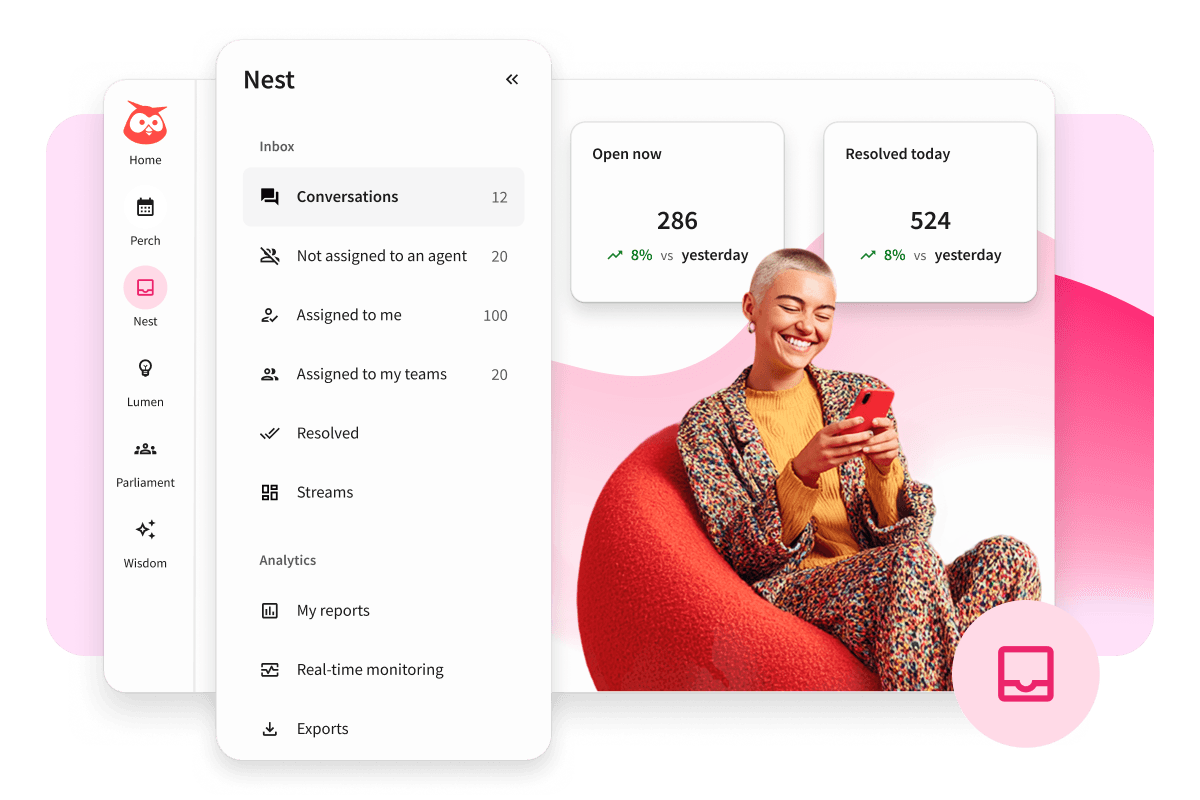
Nest führt Ihre Social-Media-Nachrichten, Kommentare, Erwähnungen und Kundeninteraktionen zusammen, damit sich Ihr Team schneller einbringen, eine stärkere Community aufbauen und jede Gelegenheit zur Kontaktaufnahme nutzen kann.
Immer die Unterhaltungen finden, auf die es ankommt
Von Social-Media-Kommentaren und DMs bis hin zu Erwähnungen und Bewertungen – mit Nest bleibt Ihr Team reaktionsfähig, arbeitet nahtlos zusammen und verwandelt alltägliche Interaktionen in Markentreue.

Vereinheitlichen
Antworten Sie auf Kommentare und DMs auf Facebook-Gruppen, Instagram Channels, WhatsApp, LinkedIn, X und TikTok Alles aus einem einzigen Postfach.

Automatisieren
Leiten Sie Unterhaltungen weiter, lösen Sie automatische Antworten aus und beseitigen Sie wiederkehrende Arbeiten, damit sich Ihr Team auf wertvolle Interaktionen konzentrieren kann.

Erfreuen
Reagieren Sie schneller, stellen Sie die genauesten Informationen zur Verfügung und richten Sie Umfragen zur Kundenzufriedenheit ein, um die Benutzererfahrung zu verfolgen.
Jeden Kommentar, jede Erwähnung oder jede Direktnachricht
in eine Chance zur Interaktion verwandeln
Behalten Sie den Überblick über Ihren Posteingang - mit einer kompletten Palette von Tools zur Inbox-Verwaltung, mit denen Sie Ihre Prozesse vereinfachen, Zeit sparen und in den sozialen Medien wachsen können.
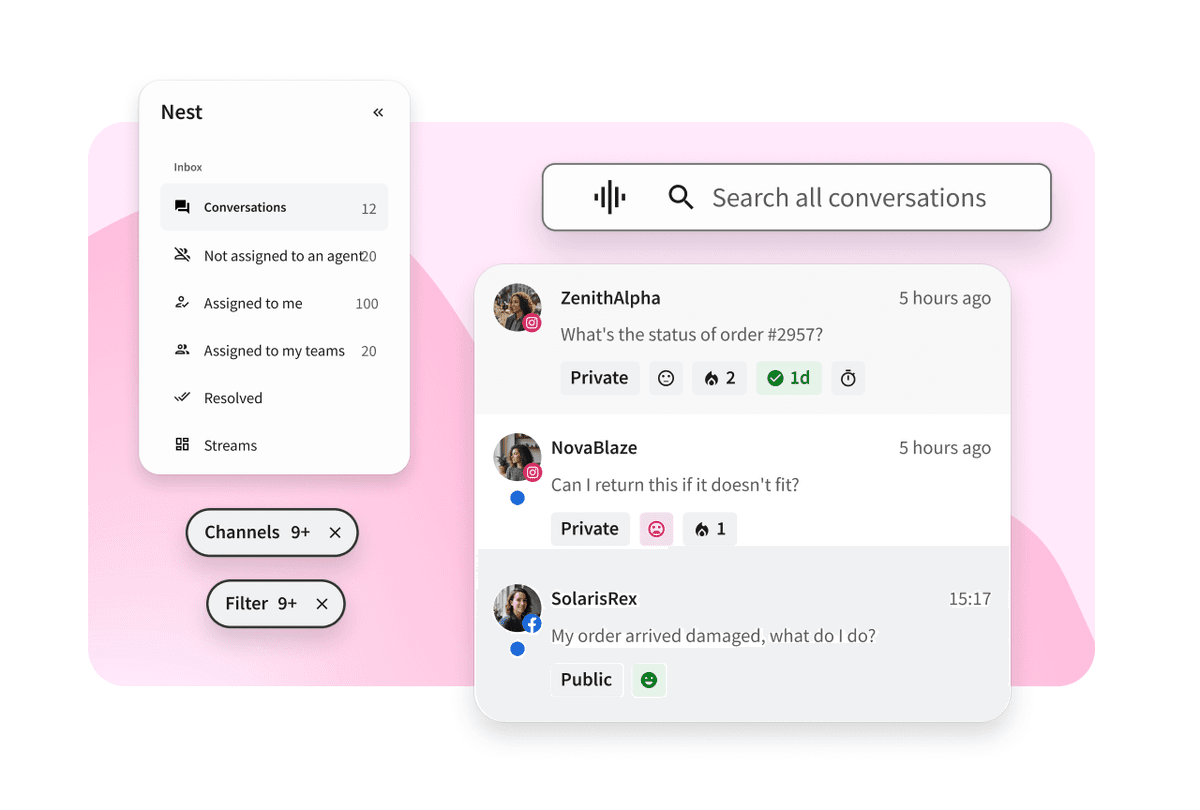
Nest bietet Ihnen eine Übersicht über öffentliche Kommentare und private Nachrichten in allen Netzwerken. Durchsuchen Sie alle Ihre Unterhaltungen, um schnell das zu finden, was Sie suchen, und bleiben Sie mit Benachrichtigungen über wichtige Nachrichten auf dem Laufenden.
Markieren Sie Teammitglieder ganz einfach und weisen Sie ihnen die zu bearbeitenden Nachrichten zu. Stellen Sie sicher, dass mehrere Benutzer nicht versehentlich auf denselben Kommentar oder dieselbe Nachricht antworten. Und setzen Sie Ihren Status auf „verfügbar“ oder „abwesend“, um Ihre Work-Life-Balance im Gleichgewicht zu halten.
Hinterlassen Sie ausführliche Kontakt- und Unterhaltungsnotizen für Ihre Teamkollegen, damit Sie personalisierte Antworten geben können. Chatten Sie mit anderen Mitarbeitern, um schnelle Antworten zu bekommen. (Keine Sorge, Chats und Notizen sind für Kunden niemals einsehbar.)
Entwickelt für die geschäftigsten Posteingänge
Ganz gleich, ob Sie Hunderte oder Tausende von Unterhaltungen verwalten – Nest gibt Ihnen die Werkzeuge an die Hand, um schneller Prioritäten zu setzen, besser zusammenzuarbeiten und nichts Wichtiges zu verpassen.
Verkürzung der Reaktionszeiten durch benutzerdefinierte Automatisierungen
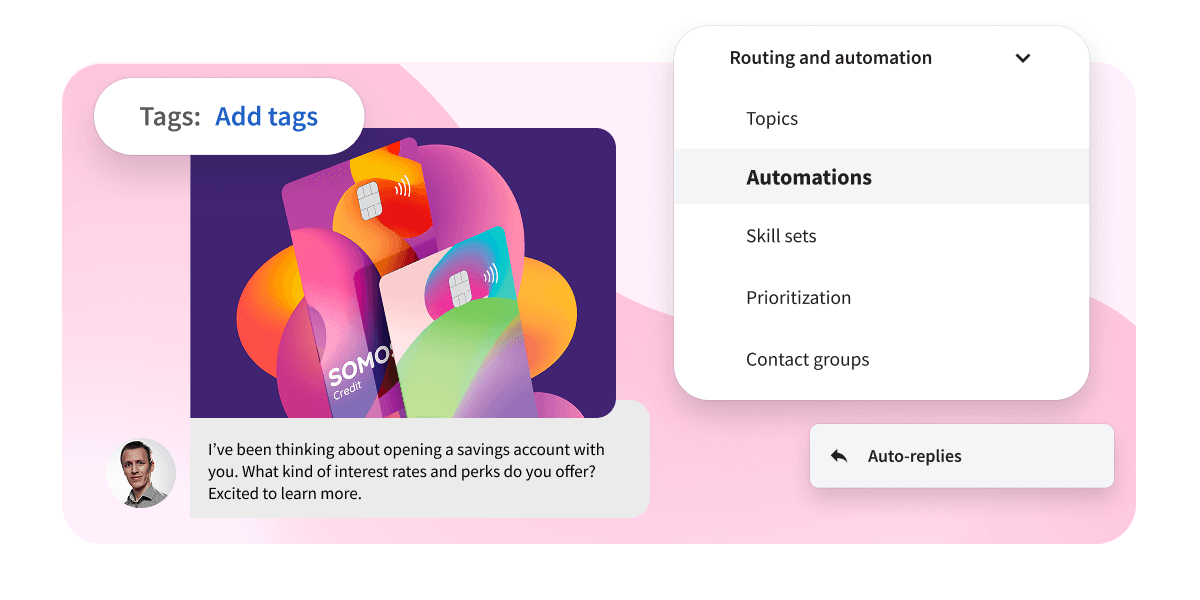
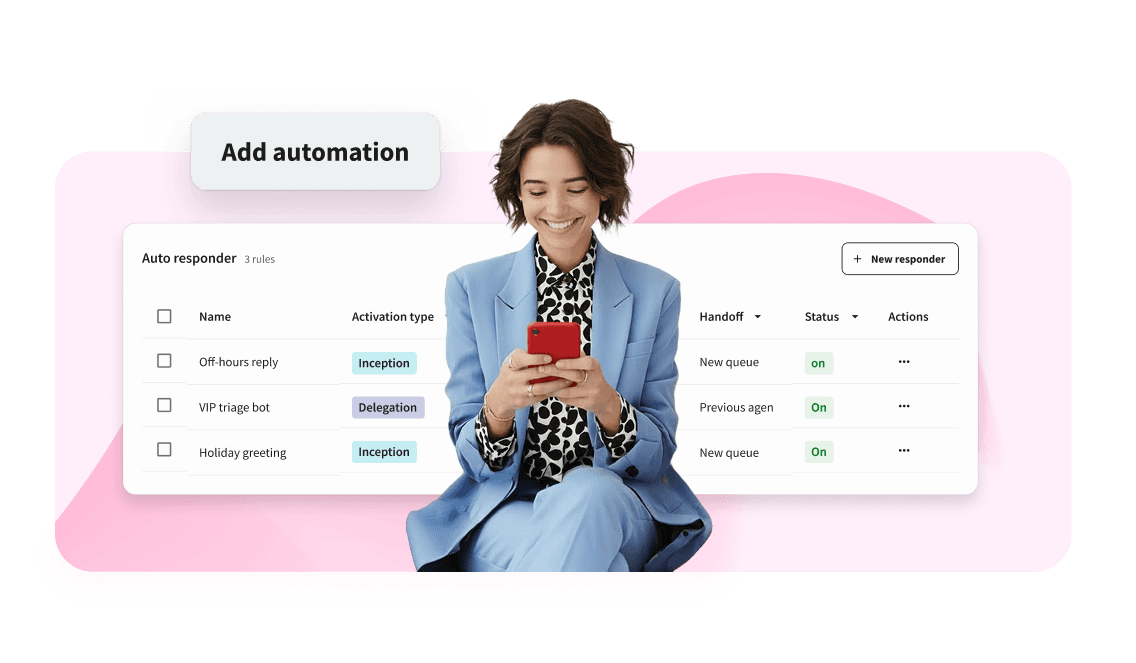
Passen Sie Ihren Workflow an und sparen Sie mit automatischen Posteingangsfunktionen wertvolle Zeit. Fügen Sie Tags und Themen hinzu, um bestimmte Unterhaltungen in Ihrer Warteschlange automatisch weiterzuleiten und zu priorisieren. Außerdem können Sie Automatisierungen zur Klärung von Unterhaltungen einrichten. So können Sie z. B. eine Regel festlegen, nach der eine Konversation automatisch beendet wird, wenn ein Kontakt mit „Tschüss“ antwortet.
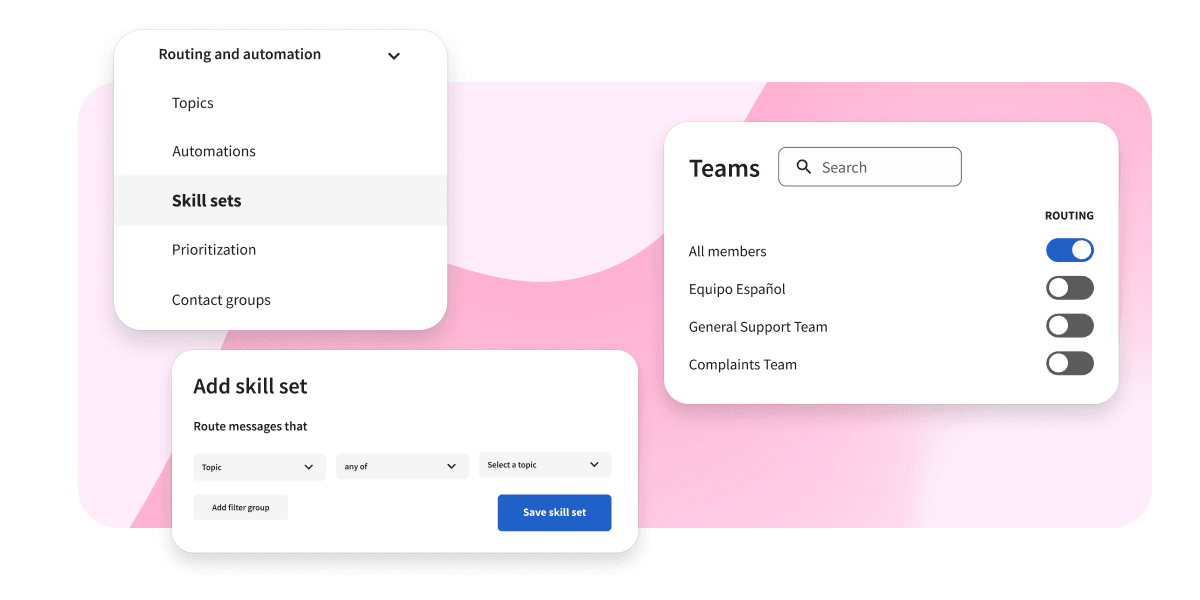
Konsequentes Engagement in jeder Unterhaltung
Leiten Sie Unterhaltungen an den richtigen Mitarbeiter weiter, arbeiten Sie hinter den Kulissen zusammen und stellen Sie sicher, dass jede Interaktion die Stimme Ihrer Marke widerspiegelt. Mit Nest können Sie bestimmte Kompetenzen erstellen und dann automatisch entsprechende Nachrichten an die Teams mit diesen Kompetenzen weiterleiten.
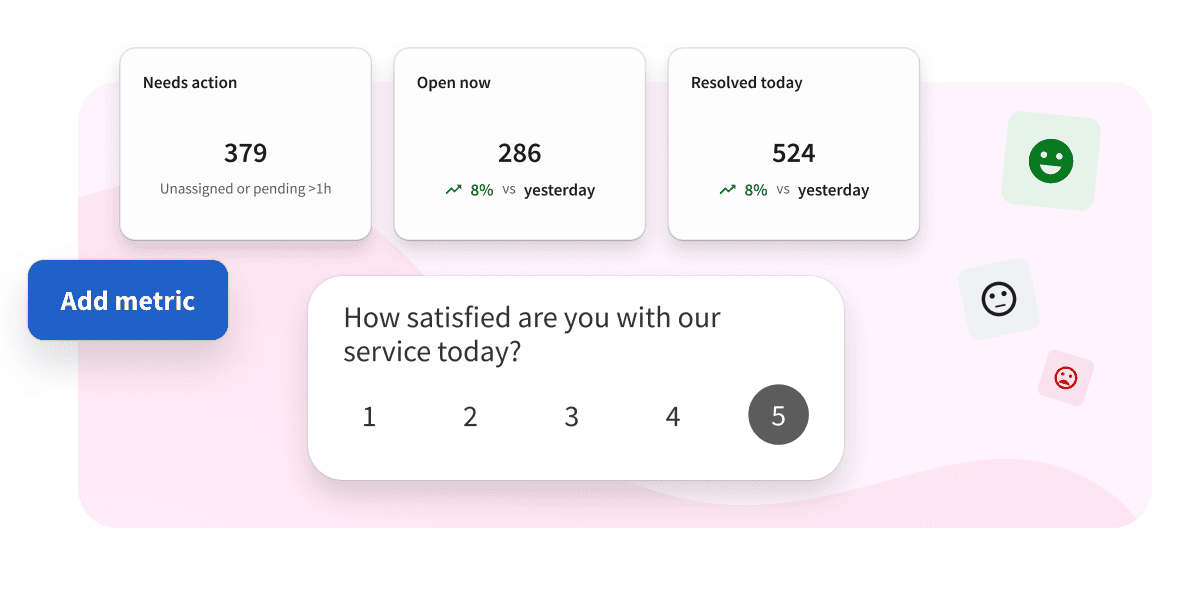
Messung der Stimmung und der Interaktion in der Community
Verfolgen Sie Antwortzeiten, CSAT-Werte, Engagement-Volumen, Konversationstrends, Stimmungen und Publikumsbeteiligung, um zu verstehen, was bei Ihrer Community ankommt. Außerdem können Sie Ihre Ergebnisse im Laufe der Zeit verfolgen, um zu sehen, wo Sie sich verbessern können.
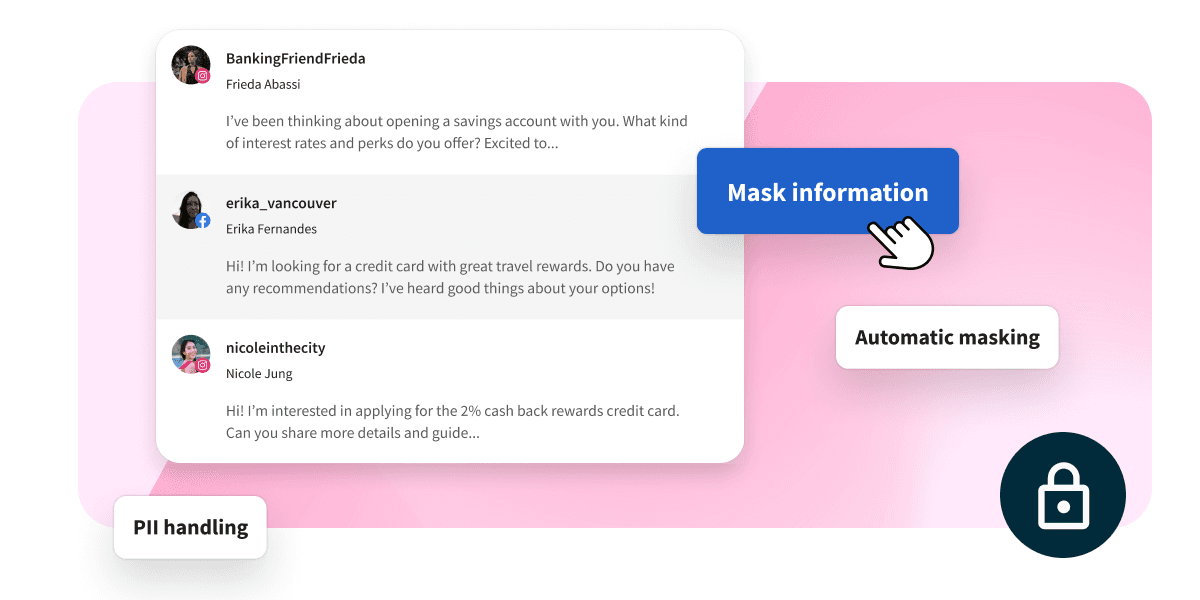
Sensible Informationen schützen, die Vorschriften einhalten und Risiken reduzieren
Nest schützt die personenbezogenen Daten Ihrer Kunden. Verbergen Sie automatisch oder manuell sensible Informationen wie Kreditkarten- und Sozialversicherungsnummern in Ihren öffentlichen und privaten Social-Media-Kanälen.
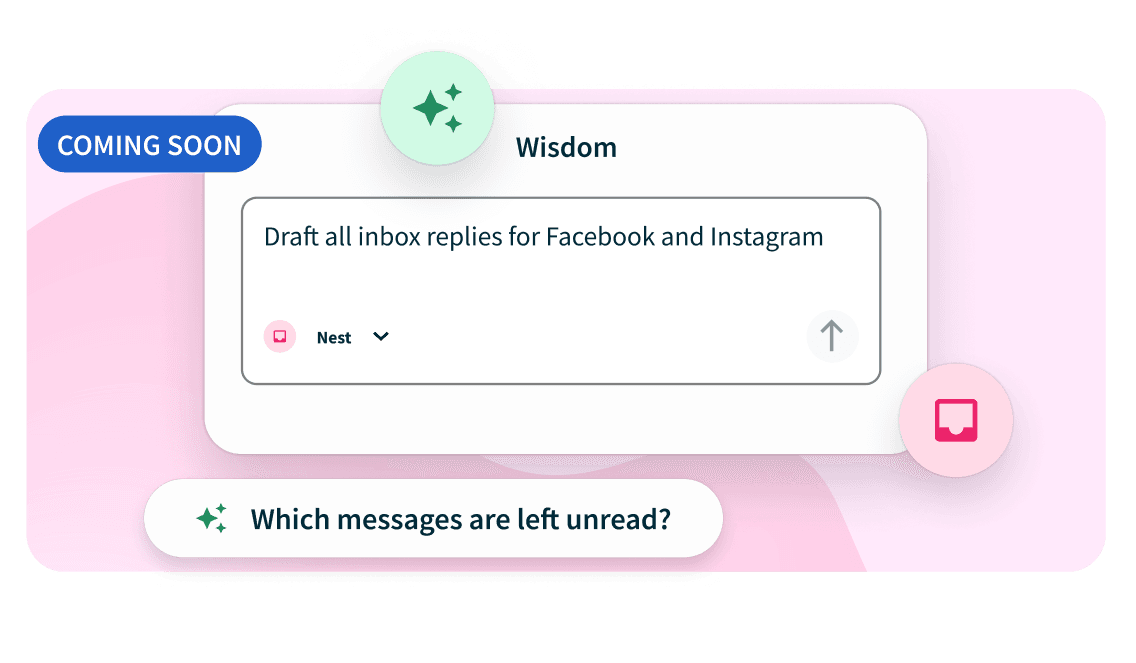
Nest + Wisdom = Gemeinsam stärker
Bald können Sie Wisdom und Nest verknüpfen. Nutzen Sie den Chat, um Ihren Posteingang im Klartext zu durchsuchen, Unterhaltungen zusammenzufassen, wiederkehrende Kundenprobleme aufzudecken, aufkommende Risiken zu identifizieren, Antworten zu verfassen und Empfehlungen für die nächsten Schritte zu erhalten.
Was umfasst Hootsuite Nest?
Wenn Ihr Publikum wächst, wächst Nest mit Ihnen. Verwalten Sie mehrere Posteingänge, automatisieren Sie sich wiederholende Aufgaben und halten Sie jede Unterhaltung in Gang – ganz ohne Mehrarbeit.

Leistung messen
Behalten Sie den Überblick über die Antwortzeit Ihres Teams, die gesendeten Antworten, die verfügbare Zeit, die durchschnittliche CSAT-Bewertung und mehr. Außerdem erhalten Sie Echtzeit-Einblicke, die alle 30 Sekunden aktualisiert werden.

Sprache erkennen
Leiten Sie Anfragen an das richtige Team weiter oder richten Sie automatische Antworten in der bevorzugten Sprache eines Nutzers ein. Nest erkennt automatisch über 60 Sprachen und fügt sie zu den Kontaktdaten eines Nutzers hinzu.

Stimmung aufdecken
Kommunizieren Sie, priorisieren Sie und messen Sie den Markenzustand, indem Sie die emotionale Tonalität von Unterhaltungen sofort bestimmen. Zeigen Sie Nachrichten an, nehmen Sie Anpassungen vor und filtern Sie.

Produktivität verfolgen
Messen Sie die Produktivität Ihres Kundensupport-Teams. Verfolgen Sie die Abwesenheitsdaten, um die Produktivität der Mitarbeiter zu messen und die Übereinstimmung mit Audit-Protokollen sicherzustellen.

Zendesk verknüpfen
Erstellen Sie ganz einfach Kundensupportfälle in Zendesk aus Unterhaltungen in Ihrem Hootsuite-Posteingang. Fügen Sie einfach die Zendesk-Integration zu Nest hinzu.

SLA-Benachrichtigungen einrichten
Definieren Sie Ihre Service-Level-Vereinbarung (SLA), und Hootsuite benachrichtigt Sie, wenn Sie hinter Ihren Zielen zurückbleiben.

Mit KI antworten
Antworten Sie schneller mit KI-gestützten intelligenten Antworten, die markengerechte, kontextbezogene Antworten auf Kommentare, Erwähnungen und Nachrichten in den sozialen Medien vorschlagen.

Bumerang-Nachrichten
Vergessen Sie nie, nachzufassen. Stellen Sie Nachrichten so ein, dass sie nach einem von Ihnen gewählten Zeitraum in Ihre neue Warteschlange zurückkehren, damit Unterhaltungen, die noch eine Antwort benötigen, nicht übersehen werden.

Nachricht von KI-Tools
Mit dem Nest MCP bringen Sie Ihre Kundenkonversationen in die KI-Tools ein, die Ihr Team bereits verwendet, darunter ChatGPT, Claude und Gemini.






Alles rund um Social Media, alles in einer Suite.
Ein vernetztes System für Social Listening, Veröffentlichung, Interaktion, Markenfürsprache und KI-gestützte Entscheidungsfindung.

Wisdom
Stellen Sie Ihre Fragen in einfacher Sprache, erhalten Sie Antworten mit Quellenangaben und lassen Sie Wisdom den nächsten Schritt tun.

Perch
Erstellen Sie Inhalte für Wochen in Minuten. Sammeln Sie Ideen, entwerfen Sie Beiträge mit KI und planen Sie Inhalte schneller.

Lumen
Verfolgen Sie Ihre Social-Media-Statistiken, überwachen Sie den Zustand Ihrer Marke, beobachten Sie Ihre Konkurrenten und verstehen Sie die Gründe für jeden Einbruch oder Anstieg.

Parliament
Kuratieren Sie markengerechte Inhalte, die Ihr Team mit nur einem Klick teilen kann. Sparen Sie Geld für Werbung, indem Sie die Ausgaben für Werbeanzeigen durch organische Reichweite ersetzen.
Sorgen Sie für Ordnung und begeistern Sie Ihr Publikum mit dem besten Inbox-Tool für Social Media
Sind Sie bereit, die Art und Weise, wie Sie Social Media Messaging handhaben, zu revolutionieren? Probieren Sie Hootsuite Nest noch heute aus – völlig kostenlos.
Häufig gestellte Fragen
Nest ist das Hootsuite-Produkt für Social-Media-Kundenservice und -interaktion. Nest hilft Teams bei der Verwaltung von Nachrichten, Kommentaren, Erwähnungen und Kundengesprächen in allen sozialen Netzwerken – alles von einem zentralen Ort aus.
Nest ist die Weiterentwicklung von Hootsuite Inbox. Es enthält dieselben Kernfunktionen für die Verwaltung des Posteingangs und wird gleichzeitig zu einem eigenen Produkt innerhalb des Social OS von Hootsuite, das sich auf Kundenbetreuung, Engagement und Workflows für die Reaktion in sozialen Netzwerken konzentriert.
Dank Wisdom können Teams besser nachvollziehen, worauf es bei Kundenkonversationen ankommt. Es kann Unterhaltungen zusammenfassen, Trends erkennen, Antworten entwerfen, Maßnahmen empfehlen und Teams dabei unterstützen, schneller von Erkenntnissen zu konkreten Maßnahmen zu gelangen.
Ja. Nest bietet MCP-Unterstützung, sodass KI-Assistenten und Workflows über MCP-kompatible Plattformen und Tools sicher auf Posteingangsdaten und Kundengespräche zugreifen können.
Ein Nest ist der Ort, an dem Verbindungen aufgebaut und gepflegt werden. Nest bringt alle Ihre Social-Media-Unterhaltungen an einen Ort und hilft Ihrem Team, Nachrichten, Kommentare, Erwähnungen und Kundenserviceanfragen über einen einzigen Posteingang zu verwalten.