Owly GPT Send Images to Create and whiteboard
Details
OwlyGPT now lets you send AI-generated images directly to Create or a whiteboard, helping you move from content generation to publishing or team feedback faster.
Key benefits
Move faster from idea to execution by sending generated visuals directly into your publishing workflow.
Collaborate more easily with your team by sharing images on a whiteboard for feedback and review.
Save time by eliminating the manual process of downloading and uploading image files.
Keep your workflow organized by sending assets directly to the right place for scheduling or collaboration.
How it works
Move from AI-generated visuals to publishing or collaboration in seconds:
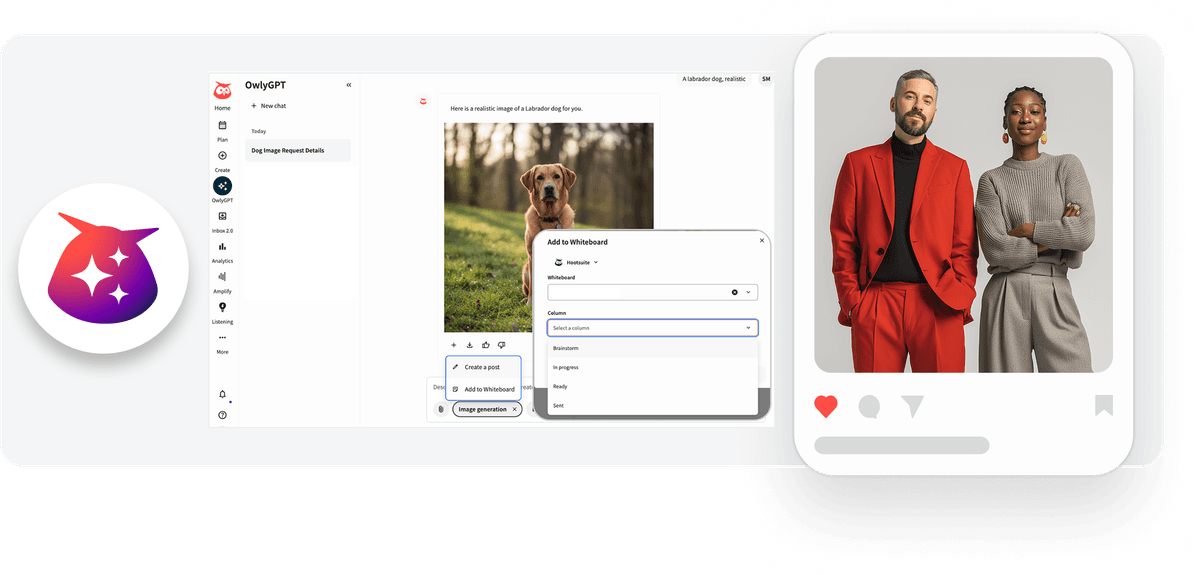
After generating an image in OwlyGPT, you can export it directly to Create or to a selected whiteboard.
Sending the image to Create allows you to save it as a draft or schedule it, with social profiles and networks automatically pre-filled based on your session context.
Alternatively, you can send the image to a whiteboard for stakeholder feedback and team collaboration.
Currently, this workflow transfers the image asset only and does not include captions or post text.
Learn more in the Help Center.
Please complete the form to learn more
* indicates required fields
Related updates

Zendesk authentication with OAuth 2.0
Zendesk Integration: OAuth 2.0 Migration lets you connect Nest to Zendesk with OAuth 2.0, so your agents keep creating Zendesk tickets from conversations after API tokens are removed.

Lumen Agent for Hootsuite
Lumen Agent for Hootsuite brings social listening into Wisdom with Quick Search over the last 7 days, so you get trend insights while you create, without a Lumen by Talkwalker account.

Wisdom Everywhere
Wisdom Everywhere puts Wisdom's AI assistant right on your page as a floating launcher, so you get help without leaving Perch, Nest, Lumen, Parliament, or Analytics.

Unlock insights tailored to your business
Get your zero-risk trial to see how Hootsuite can power brand growth with the industry’s deepest insights.