
Scale employee advocacy and drive social ROI with Amplify
Details
Hootsuite Amplify enhancements introduce point-based gamification and streamlined personalization, helping you scale advocacy while capturing the business impact of social engagement. By combining targeted digest emails with external share page editing, you ensure the right content reaches active advocates and empower them to share authentic brand stories directly from their inbox:
1. Amplify Point-Based Leaderboard
Amplify’s new point-based system transforms advocacy from a volume game into a value driver, allowing you to incentivize high-impact interactions that move the needle on your social KPIs.
Details
We are adding a new Point-Based Leaderboard to Amplify to provide a comprehensive way to gamify employee advocacy within the platform. This update allows you to track personal performance over a rolling 30-day window across both web and mobile interfaces, ensuring rankings stay current and competitive.
By assigning custom point values for specific actions like reactions and comments, you can move away from simple volume metrics toward high-quality interactions. This ensures your leaderboard reflects the true value advocates bring to your brand reputation, rather than just the number of posts shared.
Key Benefits
Incentivize Behavior: Drive the specific actions that result in deeper brand reach and audience trust.
Monitor Performance: Access a dedicated full-page view to track rankings and social network-specific metrics for top performers.
Demonstrate ROI: Provide leadership with a clear, data-backed window into the strategic value of your advocacy program.
How It Works
Setting up the point-based leaderboard is simple within your Amplify admin settings. This tool allows you to define exactly which social interactions carry the most weight for your organization.
Assign Point Values: Set specific rewards for high-value actions like comments and reactions to prioritize quality.
Track 30-Day Windows: View rolling performance data to keep the competition fresh and relevant for all advocates.
Analyze Network Metrics: Review detailed performance data across different social platforms through the full-page leaderboard view.
This system allows you to build a culture of advocacy where every interaction contributes to a measurable strategic outcome for your brand.
Learn more in the Help Center.
2. Digest Email to Onboarded Amplify Users only
Targeted Digest Emails allow you to restrict internal communications to onboarded members, ensuring your advocacy content reaches only those ready to share.
Details
We are adding a targeting toggle to the Amplify Digest settings to help you manage internal communication frequency more effectively. This capability ensures that content only reaches active advocates, reducing noise for team members who have not yet joined the program.
This approach improves the signal-to-noise ratio by preventing irrelevant inbox clutter for those yet to join the platform. By focusing on active users, you can drive higher engagement rates and ensure your internal updates remain a high-value resource rather than a distraction.
Key Benefits
Streamline Distribution: Restrict digest emails specifically to members who have logged into Amplify at least once.
Maintain Relevance: Ensure that only active advocates receive content, helping to increase overall platform adoption.
Automate Compliance: Utilize default settings for new organizations to ensure immediate communication relevance from day one.
How It Works
Managing your email distribution is easy via the Amplify Digest settings menu. These controls give you the flexibility to decide exactly who should receive regular content updates.
Enable Targeting Toggle: Activate the setting to filter your recipient list based on onboarding status.
Monitor Adoption: Track how focusing on active users improves your overall email open and click-through rates.
Set Automated Defaults: Rely on built-in logic for new programs to maintain high communication standards automatically.
These targeting options help you protect your advocates' inboxes while maximizing the impact of your internal communications.
Learn more in the Help Center.
3. Personalize a post in Amplify's external share page
Amplify Advocates can now edit and personalize posts directly from their email or the share page, removing the need to log in to the full desktop dashboard.
Details
We are adding personalization capabilities to the Amplify external share page to create feature parity with the desktop experience. This allows advocates to customize their posts across all social networks from any device, even when accessing content through a digest email.
By enabling advocates to tailor content directly within their existing workflow, you increase the volume of authentic, personalized shares. This reduces the manual effort required for employees to add their own voice, which drives higher engagement and supports your goals for platform adoption.
Key Benefits
Increase Authenticity: Encourage advocates to share content in their own words to build greater trust with their audience.
Reduce Friction: Allow users to make edits and mentions without requiring a full desktop login.
Retain Control: Use admin settings to determine which specific posts are eligible for customization during the creation process.
How It Works
Using the external share page is a seamless experience that mirrors the standard desktop organic composer. It allows advocates to maintain their personal brand voice while supporting corporate initiatives.
Open from Email: Access the personalization tools directly from any Amplify digest or notification.
Tweak Content: Edit text, media, and mentions across all selected social networks from a single interface.
Publish Instantly: Share the customized post directly to social networks without navigating to the main Hootsuite dashboard.
Removing barriers to personalization helps your advocates speak with a human voice that resonates more deeply with their professional networks.
Learn more in the Help Center.
Please complete the form to learn more
* indicates required fields
Related updates

Parliament MCP for Advocates
Parliament MCP for Advocates lets you discover, share, and schedule Parliament content conversationally from AI tools like Claude, cutting time to share from minutes to seconds.
Remove Mobile App Links from Parliament Email Footer
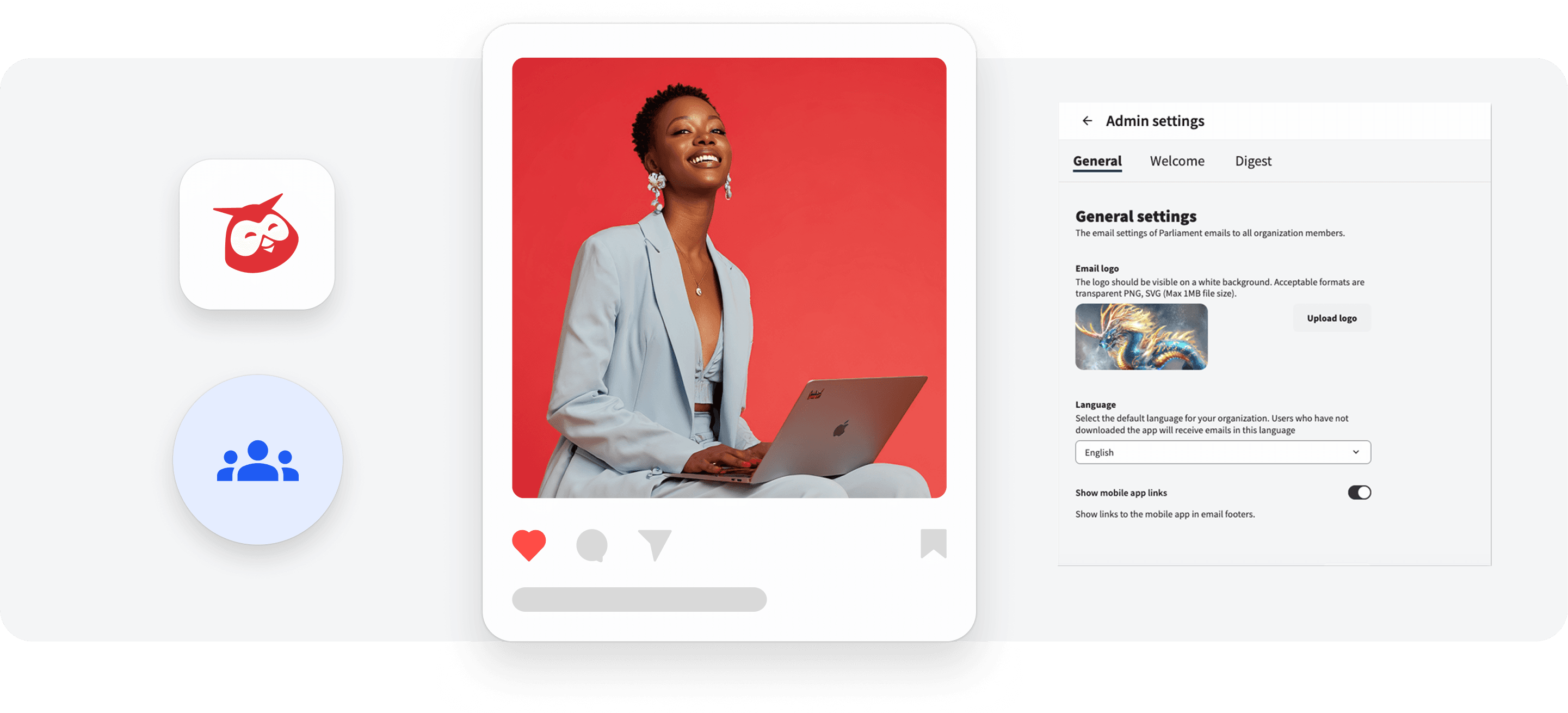
Remove Mobile App Links from Parliament Email Footer lets Content Admins hide mobile app download links across all Parliament emails, helping you stay aligned with internal app promotion policies.

Enhanced Advocacy Program metrics in Parliament
Enhanced Advocacy Program metrics in Parliament let you segment and filter advocate activity by team, geography, and sharing behavior, giving you deeper visibility into engagement across your organization.

Unlock insights tailored to your business
Get your zero-risk trial to see how Hootsuite can power brand growth with the industry’s deepest insights.